Accessibility Auditing
I test websites, mobile apps, and documents with real assistive technology - JAWS, NVDA, VoiceOver - not just automated scanners. I find the failures that tools miss because I experience them first-hand, every day.
Reads page content aloud using text-to-speech.
Akhilesh Malani
Product builder and blind accessibility architect. I ship accessibility tooling in my own time - AMASAMYA is the current one - and, in personal capacity, I have spent 16+ years navigating the digital world using only a screen reader and keyboard. Not just compliant. Actually usable.
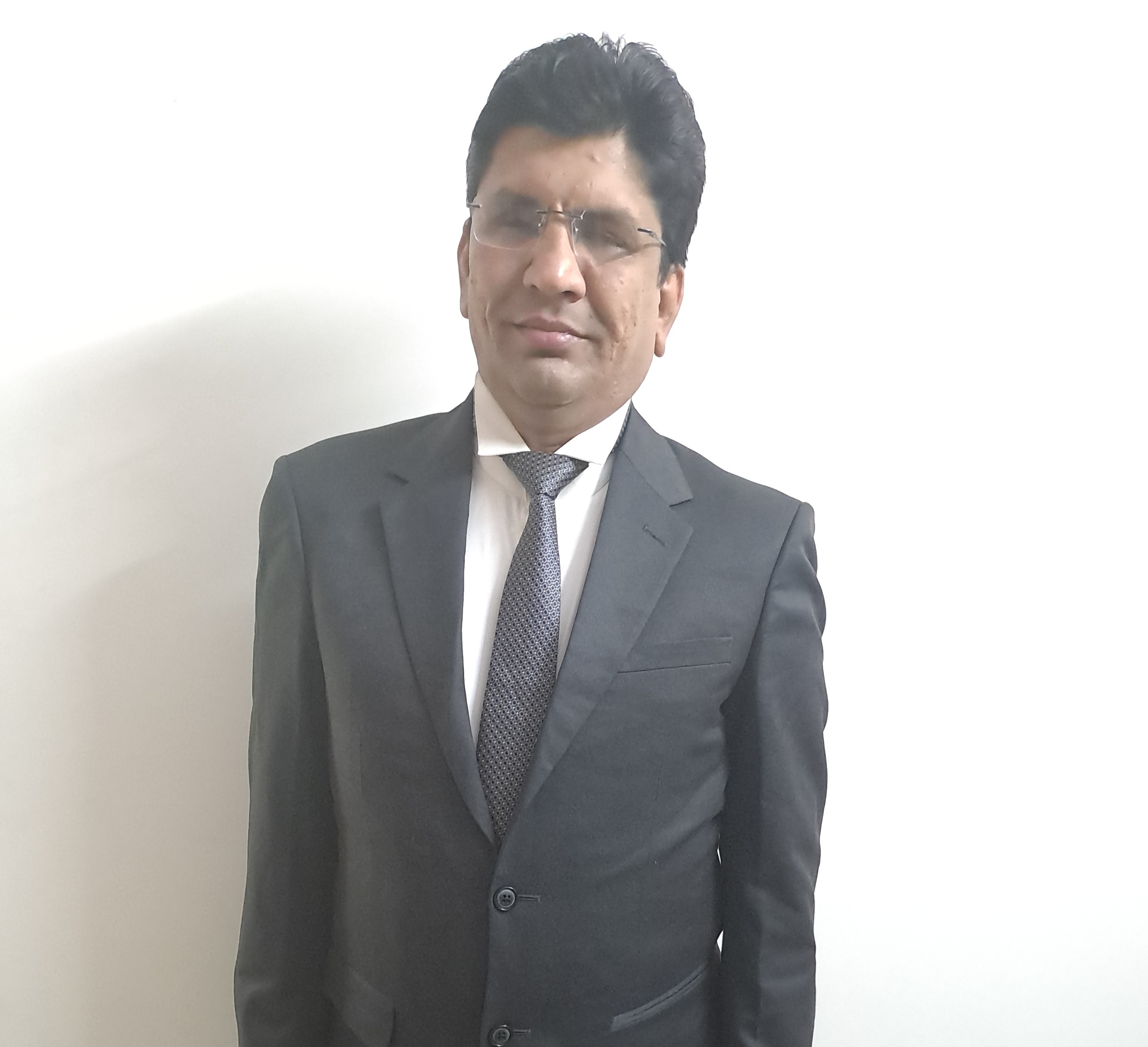
My career did not begin in accessibility. In 2009, I started in technical support - capable work, but not where I was meant to be. After 18 months, I made a deliberate decision: I quit, took four months without income, and taught myself accessibility testing from the ground up. That bet on myself became my entire career.
My career began at Mphasis in technical support, before I made the deliberate switch into accessibility. My first accessibility role was at Prakat Solutions, where I built my foundations in the craft. From there, I spent a decade delivering accessibility at global technology scale - 5.5 years at HCL Technology, then a further 4.5 years at Tech Mahindra. Working at that scale meant accessibility was never a checkbox; it was a precision discipline.
Today I am Accessibility Architect at Virtusa Consultancy, working across regulated sectors where digital inclusion is not optional.
Through all of it, one thing has stayed constant: I don't simulate disability to understand what users need. I lost my sight at 12. That perspective isn't something I learned - it's the lens I have always worked through.
Want to know more? Connect with me on LinkedIn (opens in new tab).
30 times more expensive to fix accessibility defects in production than catching them in design.
70 percent of real accessibility issues are missed by automated scanning tools alone.
1 in 6 people worldwide live with a significant disability. That's over a billion potential users.
96 percent of the top one million websites have detectable WCAG failures on their home page.
Most organisations don't realise they have a problem until a lawsuit, a failed audit, or a user complaint forces them to act. Understanding the real cost is the first step to changing that.
I test websites, mobile apps, and documents with real assistive technology - JAWS, NVDA, VoiceOver - not just automated scanners. I find the failures that tools miss because I experience them first-hand, every day.
I work with teams to map out which WCAG failures carry the most risk - legal, reputational, and human - and build a remediation plan their engineers can actually execute. Not a report that collects dust.
I run sessions where developers navigate their own product with NVDA turned on - often for the first time. That moment changes how they code. I've seen it happen across 12 teams at a global technology organisation.
I know WCAG 2.2, Section 508, ADA, EN 301 549, and India's RPwD Act and GIGW 3.0 in depth - and I stay current on the SEBI accessibility mandate. Standards are only useful when someone can translate them into real fixes.
The methodology behind every accessibility engagement I've been part of across my career.
Before I test a single element, I ask the question nobody else asks: who is this product shutting out right now? Understanding the user base, the tech stack, and what the business actually cares about shapes everything that follows.
I navigate the product with JAWS and NVDA - the same way I navigate every website I use personally. This is how I catch the failures that no automated scanner will ever flag: focus traps, silent form errors, unlabelled icons that look fine on screen.
Not every WCAG failure carries the same risk. I produce a prioritised report that separates what will get you sued from what will irritate a power user - with fix guidance written for the developer reading it at 9am on a Monday.
I'd rather make myself unnecessary than indispensable. I spend time with the engineers and designers so they understand the why - not just the fix list. That's what stops the same failures appearing in the next sprint.
A brief overview of my professional path.
– Present
Accessibility strategy and architecture at Virtusa Consultancy, working across regulated sectors including banking and financial services. Leading compliance efforts across web, mobile, and document platforms.
–
A decade delivering accessibility at global technology scale - 5.5 years at HCL Technology, then 4.5 years at Tech Mahindra. Led accessibility teams where the work had to be precise and defensible. ACE Award 2023 for delivery on a global accessibility programme.
–
Evaluated accessibility across 250+ websites, applications, and documents at Prakat Solutions. This is where I taught myself the craft - and where I learned that lived experience and technical rigour are not in conflict.
–
Managed complex customer queries related to HP hardware, software, and operating systems via email support at Mphasis (an HP Company). This was my pre-accessibility career, before I made the deliberate switch into accessibility testing.
Standards & Frameworks
Perspectives you won't find in textbooks - because they come from living it.
Most audit tools announce "audit complete" and stop there. AMASAMYA v4.3.0 carries the diff summary into the same polite-region utterance, so NVDA and JAWS users do not have to hunt for what changed. Why one utterance and not two, and why the sighted seat cannot verify this class of bug exists.
Read the full article: The audit-complete announcement should tell you what changed. So AMASAMYA does.13 Critical WCAG 2.2 failures on hdfcbank.com, including a primary navigation link at 1.00 to 1 contrast and unlabelled Fixed Deposit inputs a screen reader user cannot submit.
Read more: I audited HDFC Bank's homepage as a blind userWhy I built AMASAMYA, what it does that other automated tools do not, and what shipped in the release now live on the Chrome Web Store.
Read more: Launching AMASAMYA on GAAD 2026Most developers have never used a screen reader. Here's a practical, step-by-step guide to getting started, from someone who uses one every day.
Read more: How to Test Your Website with a Screen ReaderEveryone runs axe and thinks they're done. They're not. Here's what gets missed - and why it takes a real screen reader user to catch it.
Read more: Your Automated Tools Miss 70% of What I Find9 new success criteria, 1 removed. Here's what actually changed in WCAG 2.2 and which ones matter most - from someone who tests against them daily.
Read more: WCAG 2.2 - What Changed and Why It MattersI've watched organisations audit, fix, and forget - over and over. Here's why the checklist approach fails and what a real accessibility culture looks like.
Read more: Accessibility Is Not a Checklist - It's a CultureThe deadline is approaching and most organisations aren't prepared. I break down what the circular actually requires - and what happens if you ignore it.
Read more: India's SEBI Mandate - Are You Ready?I pick up my phone, turn on TalkBack, and try to check my bank balance. Here's what actually happens - and what banks keep getting wrong.
Read more: What Happens When a Blind User Tries Your Banking AppIndia's disability rights law has real implications for your digital products. Here's what the law says, who it applies to, and what you need to do.
Read more: RPwD Act 2016 - What Every Indian Business Must KnowI've seen more accessibility broken by ARIA than fixed by it. Here's what actually works - from someone who navigates these patterns every single day.
Read more: ARIA - The Tool Most Developers Use WrongIndia published GIGW 3.0 mandating accessibility. The irony: most government websites don't follow their own guidelines. Here's what I find.
Read more: Why Indian Government Websites Fail Their Own GuidelinesEvery accessibility defect fixed in production could have been caught in design for a fraction of the cost. I've seen the numbers - and helped organisations change them.
Read more: You're Spending 30x More Than You Need ToMost accessibility professionals simulate disability to understand it. I live it.
I navigate the digital world the same way a billion people with disabilities do - with a screen reader and a keyboard. Every single day. That means when I evaluate a product, I'm not running through a checklist. I'm experiencing it.
Last year I caught a focus trap buried four levels deep in a financial services modal - a bug that would have locked a blind user out of completing a transaction entirely. The automated scanner gave it a clean pass. A sighted tester missed it. I caught it because I was actually trying to complete the task.
That's 16 years of lived experience. You can't get it from a certification course.
Key outcomes from my career in accessibility across banking, technology, and financial services.
Led end-to-end accessibility evaluation across web and mobile banking platforms. Delivered a prioritised remediation roadmap that the engineering team executed across two release cycles.
Designed and delivered a hands-on accessibility training programme across a global technology organisation. Upskilled developers, designers, and QA engineers on WCAG 2.2 and real-world assistive technology testing.
I've spoken at WWW2011 and the NASSCOM BPO Summit. The talk that gets the most response is always the same one: what it's actually like to try and use a banking app when you can't see the screen.
My signature talk: What Happens When a Blind User Tries Your Product - a live walkthrough that shows audiences exactly what their users experience, and why it matters beyond compliance.
Hands-on sessions where your developers, designers, and QA engineers navigate your own product with a screen reader - then learn how to fix what they find.
Remote sessions on WCAG compliance, India's SEBI and RPwD mandates, assistive technology, and what a real accessibility audit looks like in practice.
Guest lectures and awareness sessions for teams who have never done accessibility before - and want to understand why it matters before they start.
Want me to speak at your event or run a session for your team? Reach out on LinkedIn.
Reach Out on LinkedIn (opens in new tab)Exclusive accessibility resources - training materials, audit templates, ARIA patterns, research, and more. Available to approved members only.
Sign in to access the full resource library. New here? Register and your access will be reviewed.
Your registration is under review. You will receive an email once approved. Thank you for your patience.
Browse and download accessibility resources including training materials, templates, research papers, and tools. Click on any file to view or download it.
Having trouble viewing the files above? Open the library directly in Google Drive (opens in new tab)
Paste any HTML and get instant WCAG 2.2 compliance results - with issue categorisation, severity ratings, and actionable fix guidance. No sign-up required.
Launch the CheckerPresented & Recognised At
I lost my sight at age 12. From that point, I experienced first-hand how much of the digital world is built without people like me in mind. That frustration became a career. I turned lived experience into professional expertise - and now I spend every day making sure others don't face the same barriers I did.
AMASAMYA is my personal open-source accessibility testing toolkit, built in my own time, driven by one belief: accessibility knowledge shouldn't cost money. Two parts. A Chrome extension that runs 24 WCAG 2.2 audit engines against any page or a whole site (v4.2.0 Site Crawl, up to 200 pages per run) with a keyboard and screen-reader-first side panel. And a web platform for aggregated reports, document accessibility checks, and mobile checklists. No login required for the extension. No subscription. See what AMASAMYA offers or view the source on GitHub (opens in new tab).
My expertise spans WCAG 2.0, 2.1, and 2.2 (Levels A, AA, and AAA), Section 508, ADA, EN 301 549, and India-specific regulations including the RPwD Act 2016 and GIGW 3.0. I also work with WAI-ARIA, PDF/UA, and mobile accessibility guidelines. I have solid knowledge of the SEBI accessibility mandate and stay current with its requirements, though my direct project experience is in WCAG, RPwD, and GIGW.
I use NVDA and JAWS as my primary screen readers, with keyboard-only navigation for everything. I also regularly test with VoiceOver on iOS and macOS, TalkBack on Android, and Dragon NaturallySpeaking for voice input. This isn't a testing setup - it's how I live.
A thorough audit involves manual testing with real assistive technology, automated scanning (as a starting point, not an endpoint), keyboard-only navigation testing, colour contrast checks, cognitive load assessment, and evaluation against the relevant WCAG success criteria. The output is a prioritised report with severity ratings and developer-ready fix guidance.
LinkedIn is the best way to reach me - connect with me there (opens in new tab). I'm always happy to talk accessibility, share knowledge, or discuss speaking opportunities. For everything else, use the contact form on this page.
Want to discuss accessibility, share ideas, or just say hello? I'd love to hear from you.